Configuration
Most users do not need to change language-server settings. The extension automatically downloads and uses the language server version pinned by the installed extension release.
Settings are available for viewer behavior, large-file handling, schema experiments, and debugging.
Viewer
ifc.viewer.includeChildren: include decomposition or assembly children in 3D previewifc.viewer.includeHostedElements: include products that fill host openings, such as doors and windows (openings remain included for correct cut-outs)ifc.viewer.codeLens: showPreview in 3DCodeLens above elements with geometryifc.viewer.maxFileSizeMb: maximum IFC file size the 3D preview will index
Large Files and Highlighting
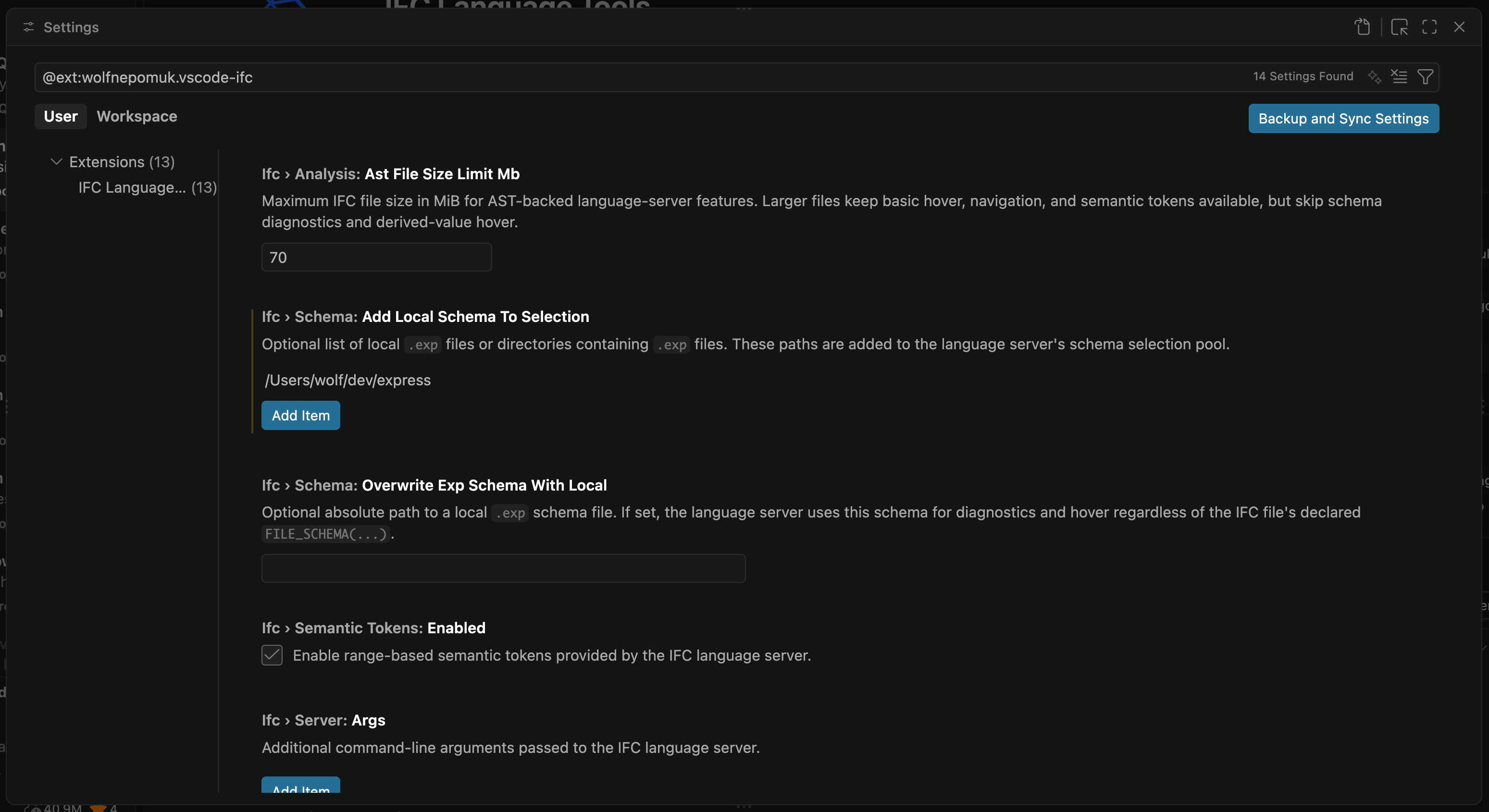
ifc.analysis.astFileSizeLimitMb: maximum file size in MiB for AST-backed language-server featuresifc.semanticTokens.enabled: enable range-based semantic tokens
Schema
ifc.schema.overwriteExpSchemaWithLocal: force diagnostics and hover to use a local.expschema fileifc.schema.addLocalSchemaToSelection: add local.expfiles or directories to schema selection
Debugging
These settings are intended for extension development, language-server development, and troubleshooting. Leave them unset unless you know you need them.
ifc.server.path: absolute path to a custom IFC language server binary. Clear this setting to return to the extension-managed downloaded server.ifc.server.args: extra command-line arguments passed to the serverifc.server.versionOverride: Git tag to download instead of the extension-pinned versionifc.server.githubRepository: GitHub repository used for language server downloadsifc.server.downloadAssetPattern: substring used to narrow the selected release assetifc.trace.server: trace level for language server protocol traffic
Do not point ifc.server.path at a binary inside the extension's managed global storage cache. Extension updates or language-server cleanup can remove cached versions, leaving the setting pointed at a file that no longer exists.
Common Recovery
If the extension fails to start the language server after changing server settings, clear ifc.server.path, restart the language server, and let the extension resolve the pinned server again.
Use IFC: Show Resolved Language Server to inspect which binary path the extension is currently trying to use.
Changes to IFC settings restart the language server automatically.